

Working with Targets
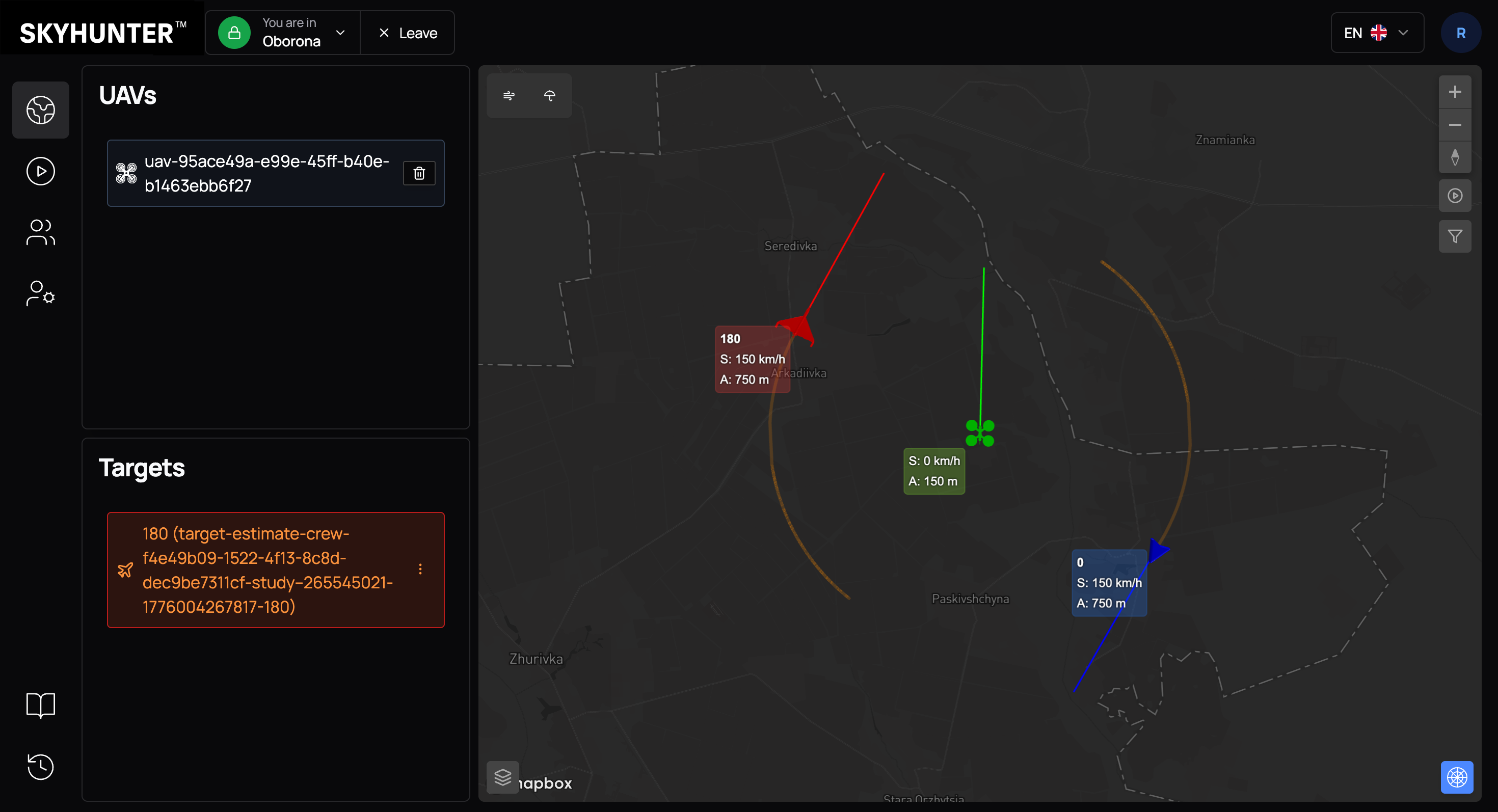
As soon as targets are assigned to a unit in Skymap, they are automatically synchronized with the SkyHunter interface.
Data is transmitted in real time, so newly created or reclassified objects should appear on the SkyHunter map without any additional actions from the operator.
After synchronization, the target:
- is displayed on the map;
- receives the appropriate status (friendly/enemy);
- becomes available for binding to a UAV;
- can be used by tracking and interception algorithms.
Binding a UAV to a Target
After an enemy target appears on the map, the next step is to assign an interceptor drone to it.
If there is a UAV in the area that:
- is active;
- is not performing another mission;
- is not assigned to any target;
the SkyHunter system may automatically suggest assigning the target to an available UAV. This mechanism simplifies the operator’s work and speeds up response to threats.
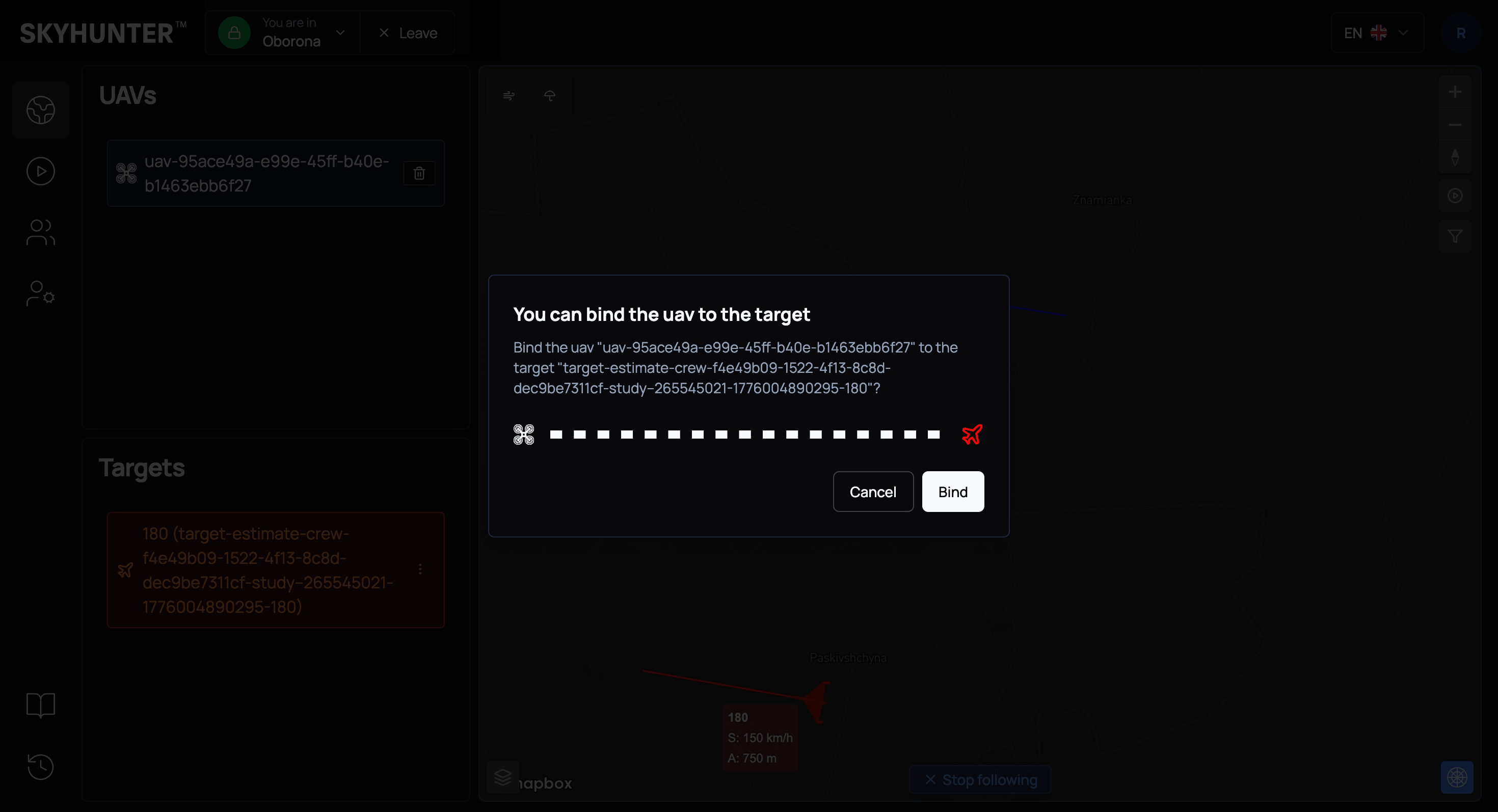
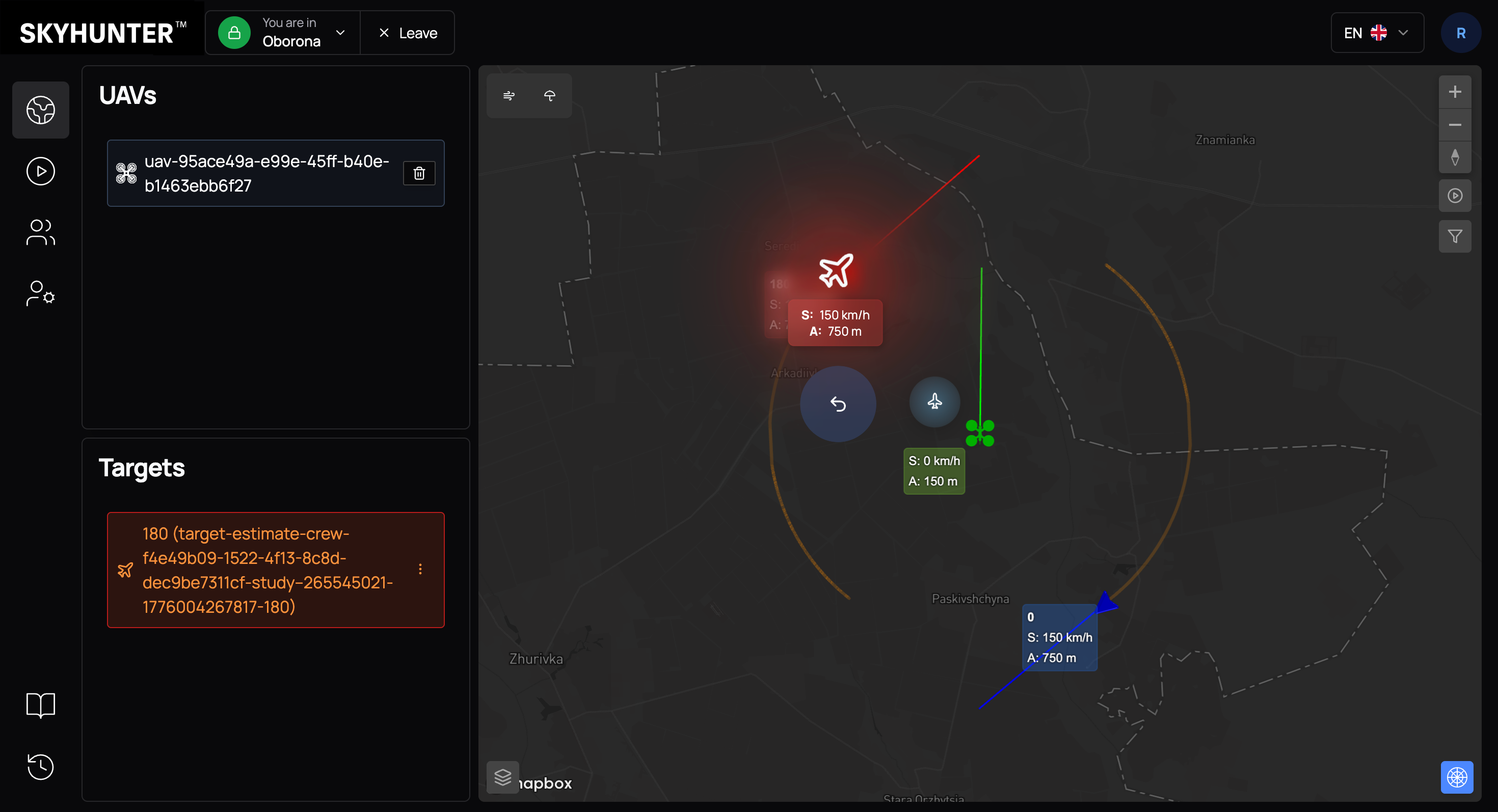
You can also assign a target to a UAV manually. To do this, click on the enemy aircraft and press the small aircraft icon located between our UAV and the enemy aircraft.
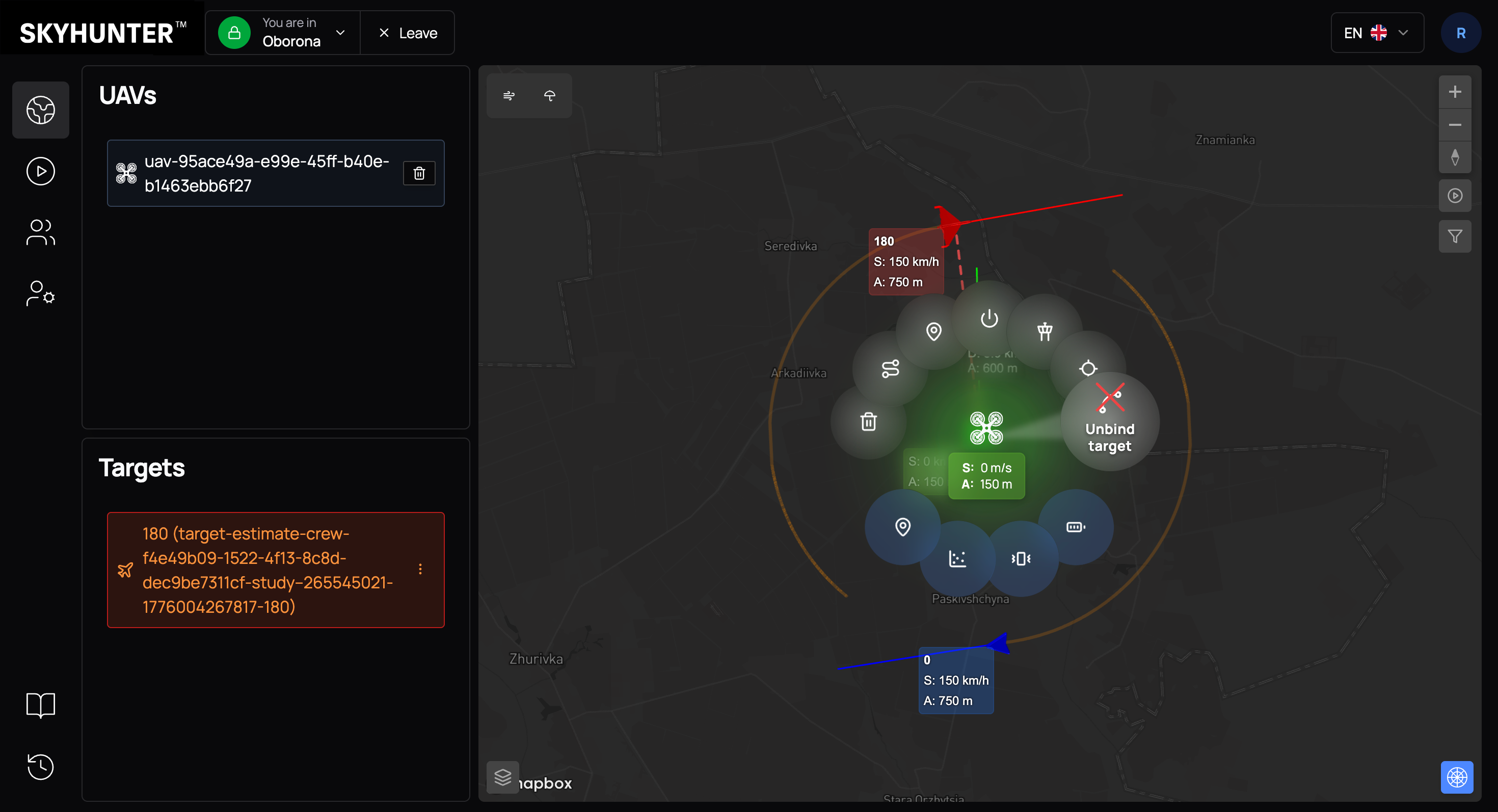
After successful binding:
- a dashed line appears between the UAV and the target;
- the system records the link in the crew log;
- a new option appears at the top of the UAV radial menu — Unbind target.
WARNING
The Unbind target command allows you to:
- cancel interception;
- change the target;
- free the UAV for a new task.
Mission Start
After binding the target, you can start the interception mission.
To launch:
- Click on the UAV.
- In the radial menu, press Arm.
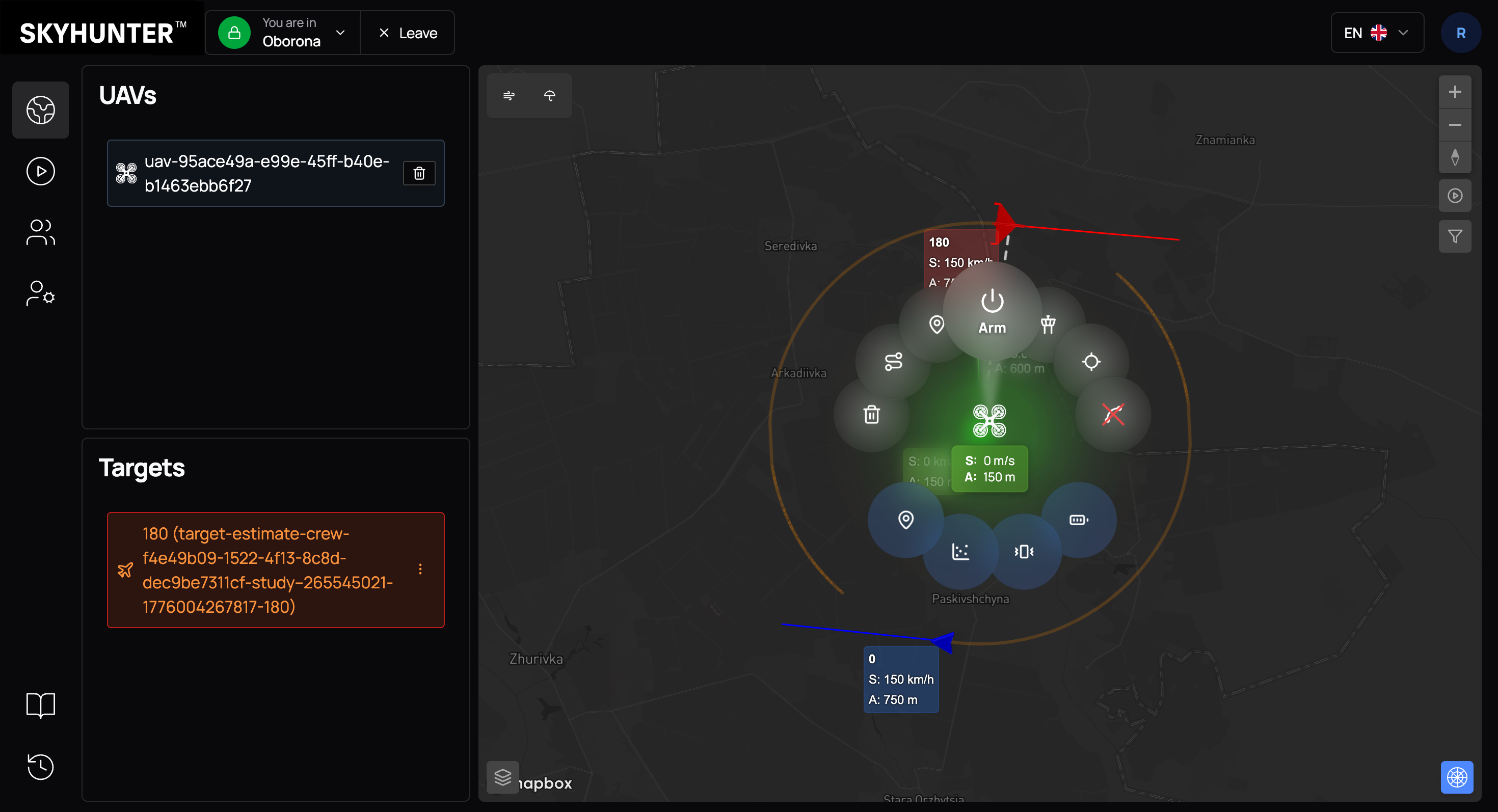
After activation:
- the drone enters the armed state;
- motors start;
- automatic altitude gain begins;
- the target tracking algorithm is activated.
The interceptor drone switches to automatic mode and starts moving toward the target according to the selected navigation type and interception algorithm.
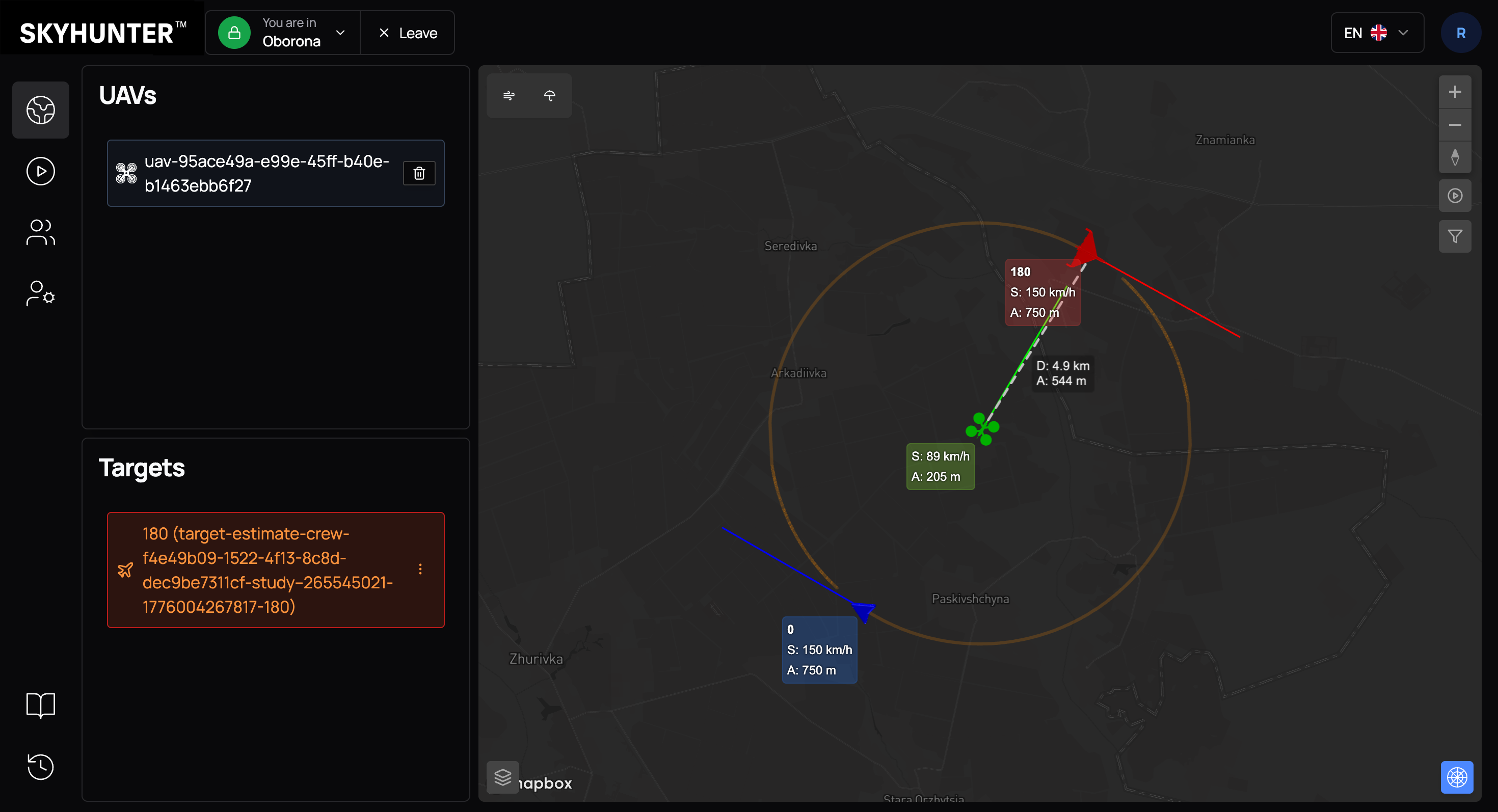
During the flight, the system:
- adjusts the trajectory in real time;
- takes into account the target’s speed and direction;
- displays up-to-date telemetry;
- allows manual operator intervention if necessary.