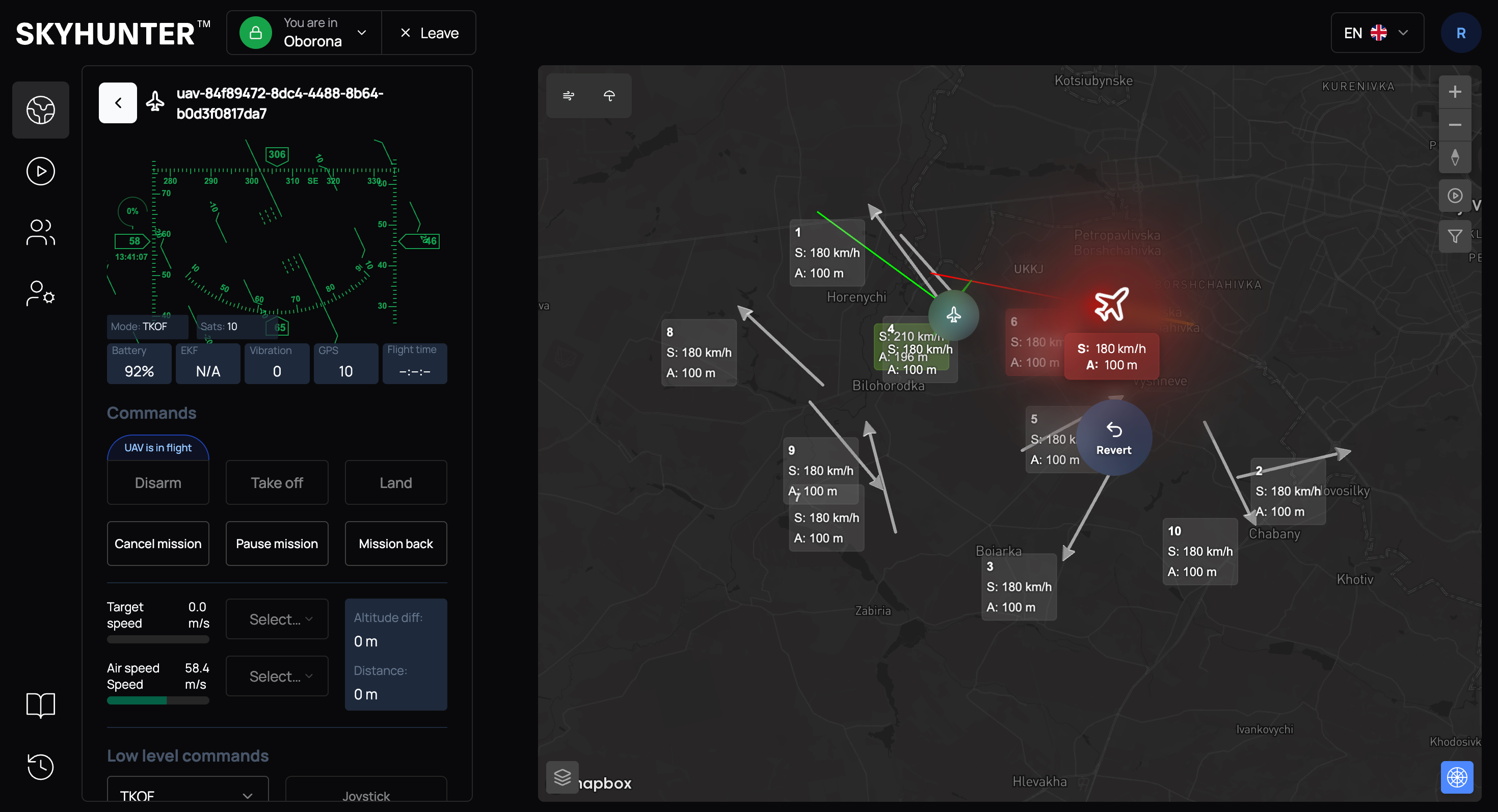
Radar Integration & Radar Tracks
After integration with the radar system, radar tracks appear in SkyHunter.
They are displayed on the map as light arrows.
IMPORTANT
Currently, radar tracks are enabled by the SkyHunter team upon request.
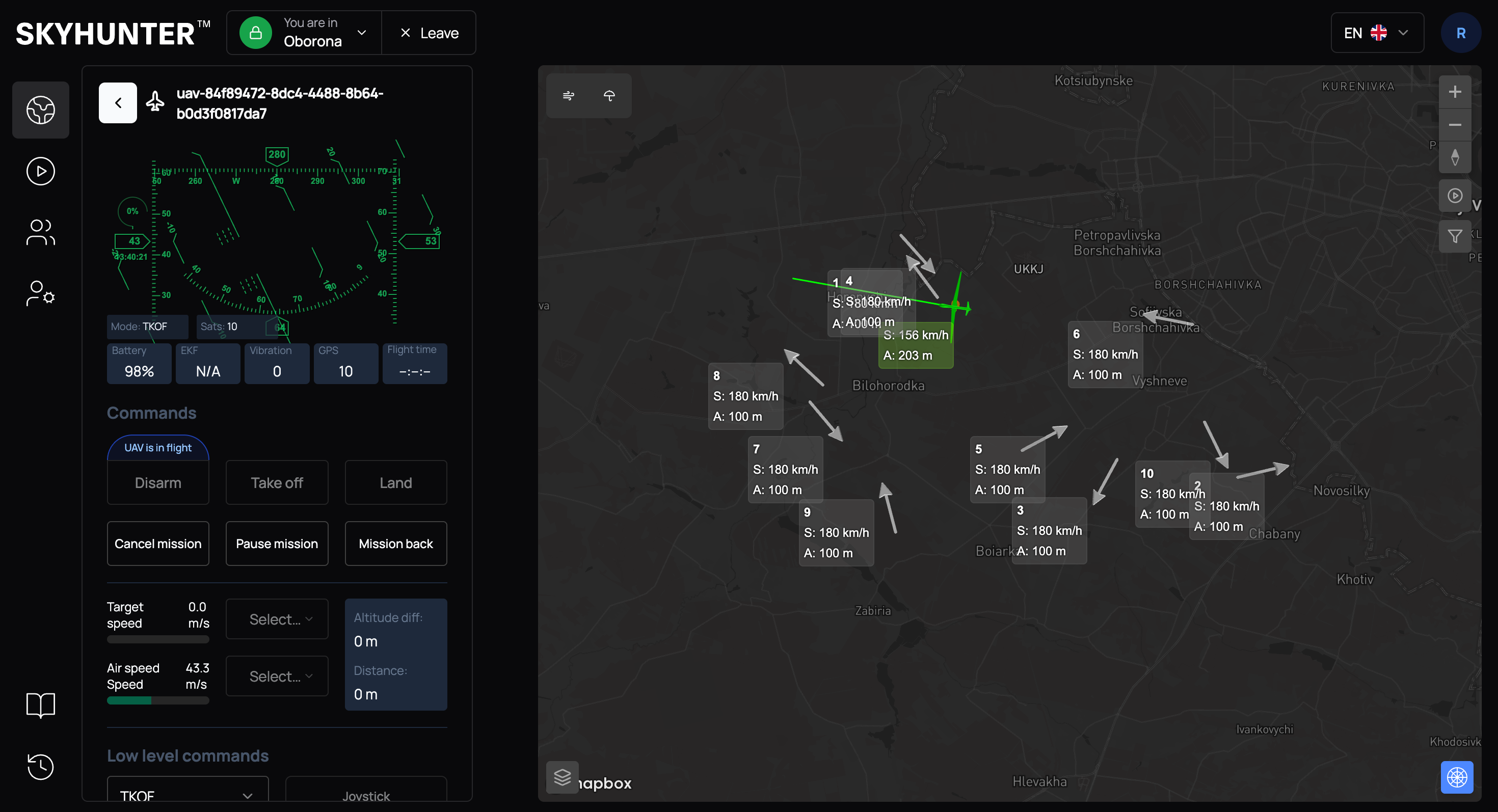
The operator can classify tracks. To do this, click on the selected track and, in the menu that appears, assign it as friendly by clicking Mark Friendly.
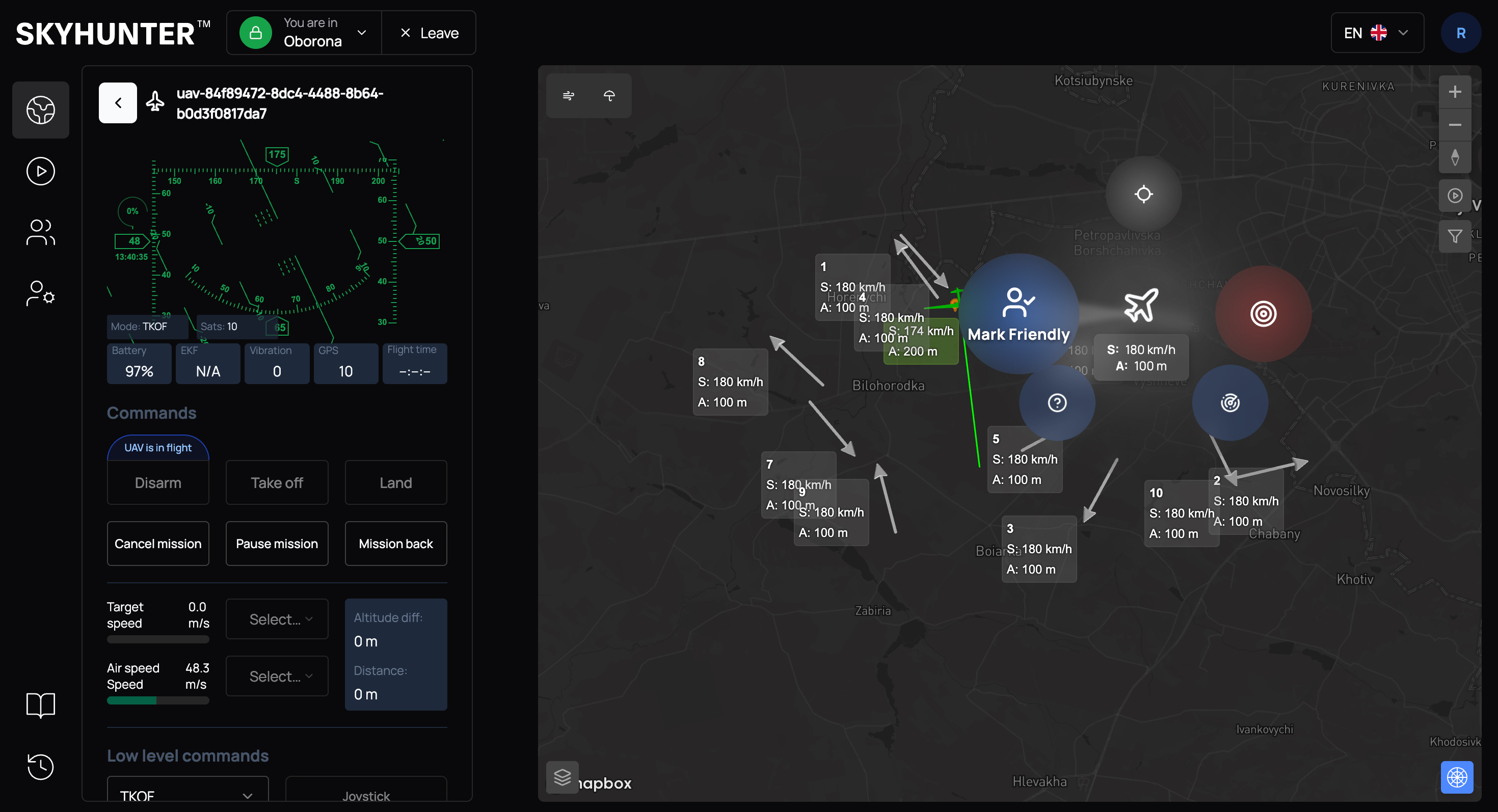
or assign it as enemy by clicking Mark Enemy.
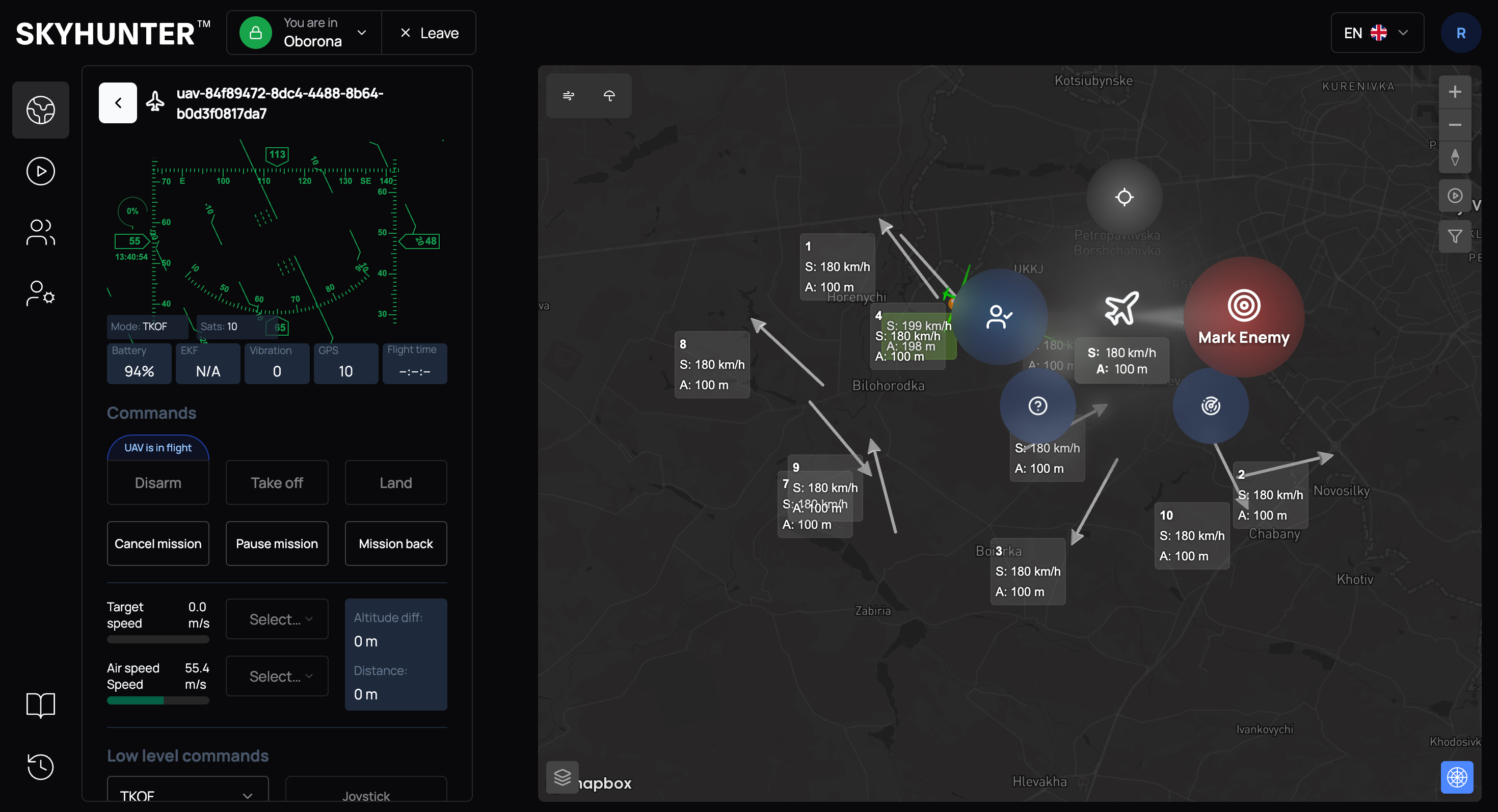
To remove the classification, click on the already marked track and use the Revert command.