

Inertial Navigation System
Inertial Navigation System (INS) for UAVs is a fully autonomous system that determines the drone’s position, velocity, and orientation without using external signals such as GPS, radio beacons, or ground stations.
How it works The system is based on the laws of inertia and consists of two main types of sensors, usually combined into an IMU (Inertial Measurement Unit):
- Accelerometers: measure linear acceleration along three axes.
- Gyroscopes: measure angular velocity (rotation around axes).
The system processor continuously integrates this data: knowing the starting point and measuring each acceleration and rotation, it “calculates” the current trajectory of the object.
Starting Point Setup Procedure
For correct operation of the INS, the operator must manually set the UAV starting point.
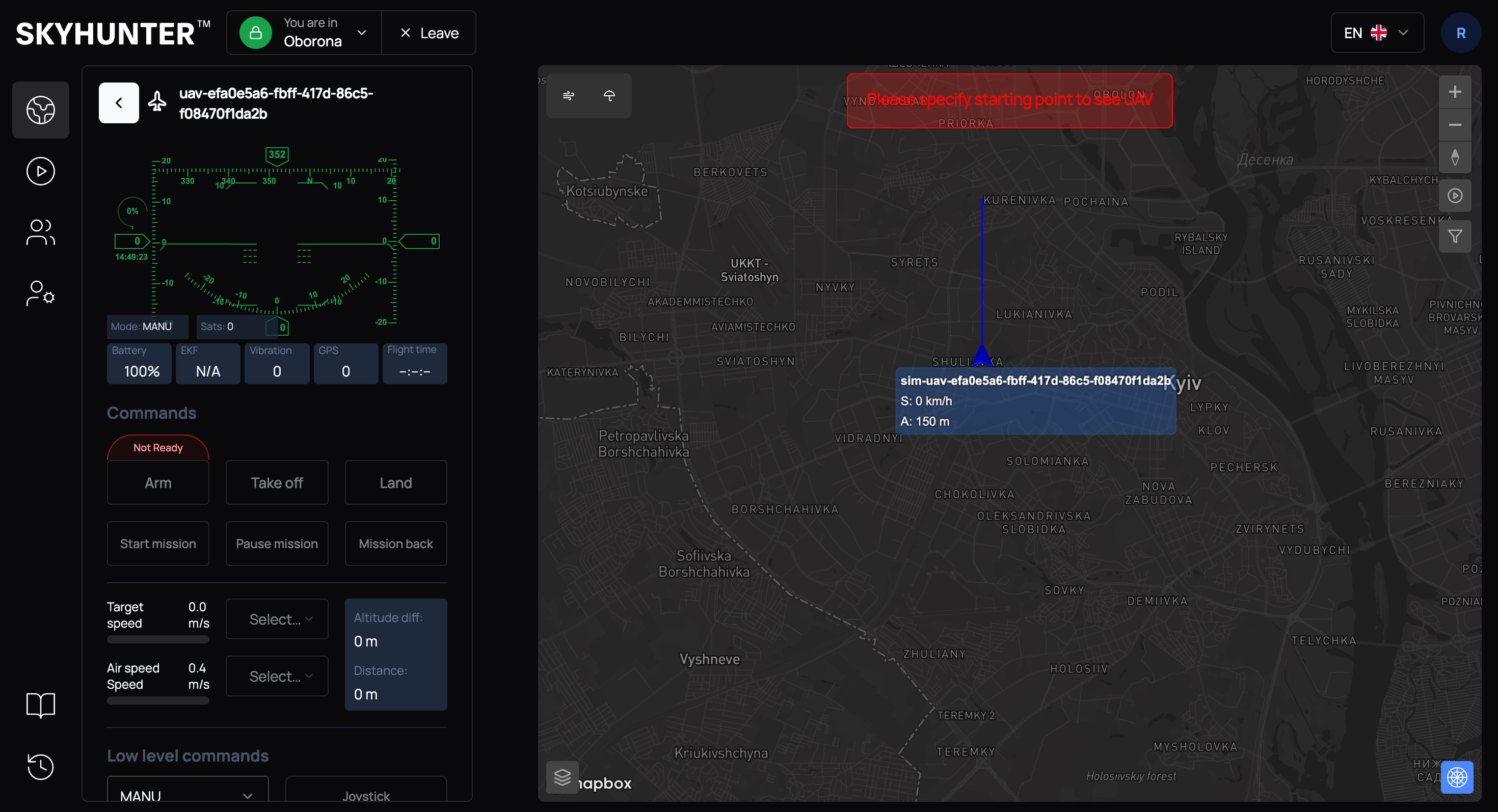
If the starting point is not set, the system displays the message:
CAUTION
Please specify starting point to see UAV
Without completing this step, launching the UAV is not possible.
Setting the starting point allows the system to:
- determine the initial UAV position;
- activate inertial navigation;
- display the UAV on the SkyHunter map.
Open the map in the SkyHunter interface and click on the expected UAV launch point.
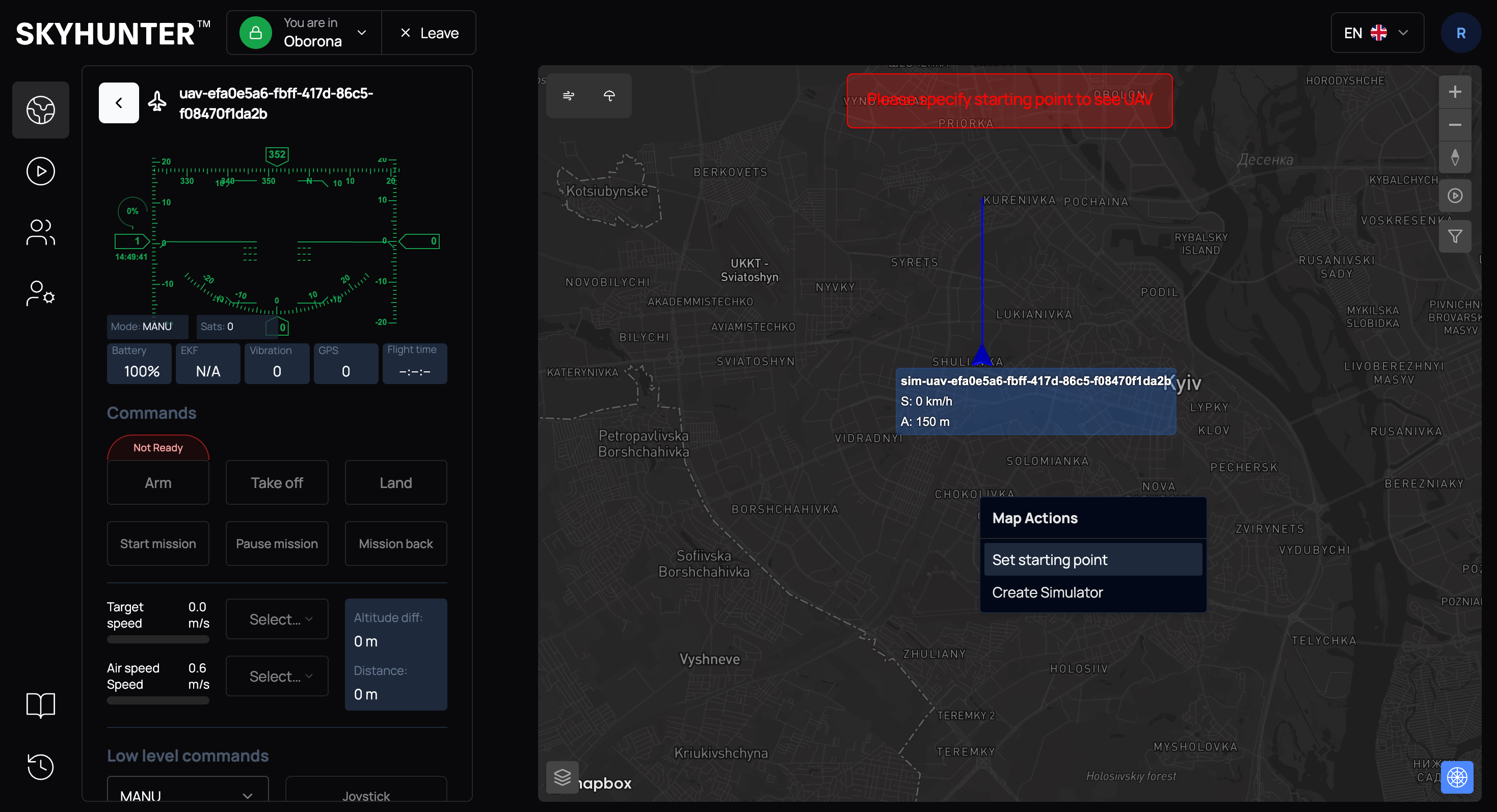
In the context menu, select Set starting point.
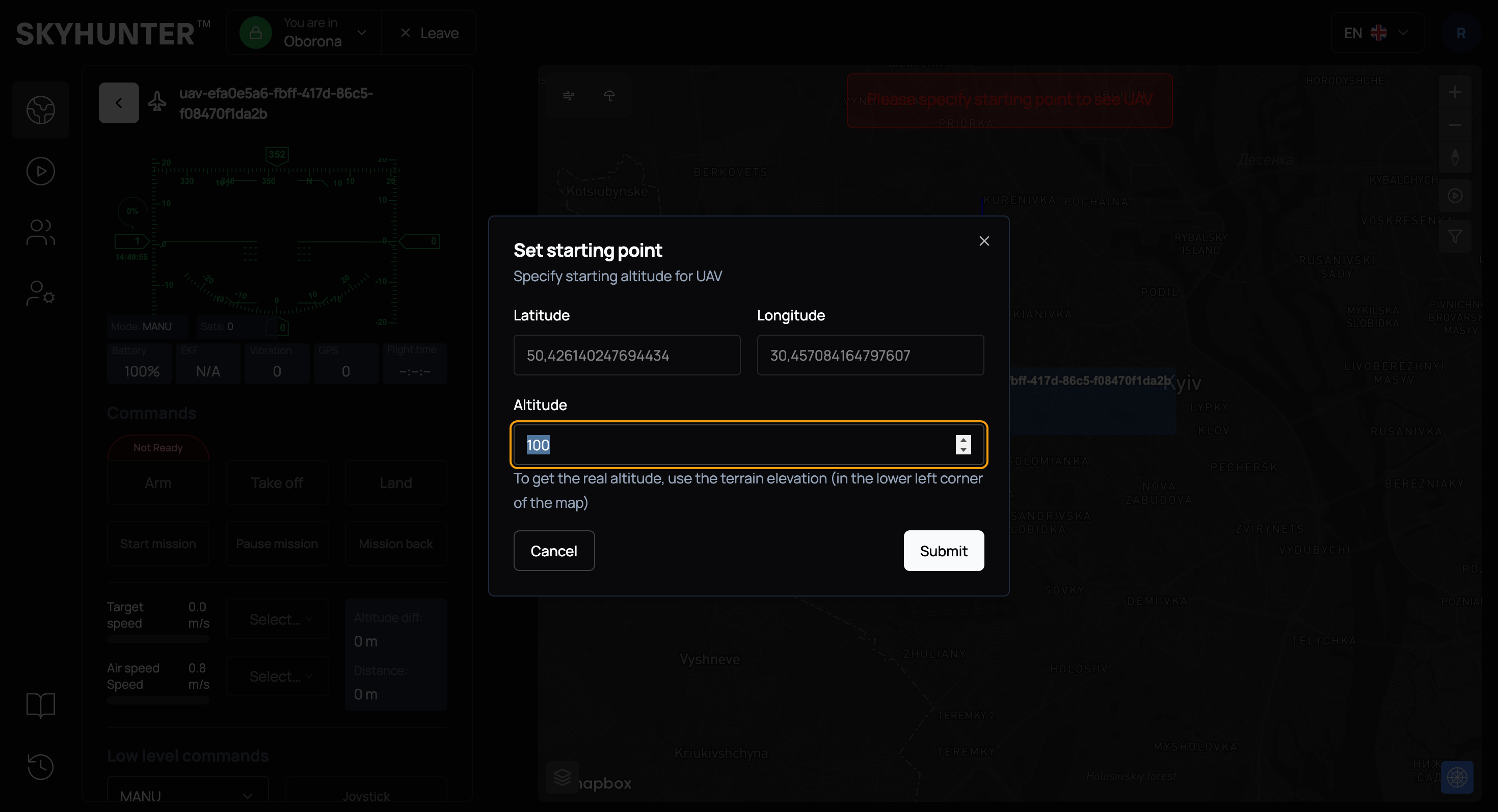
The system will automatically:
- set the point coordinates;
- determine the launch altitude.
WARNING
If the elevation map is active, altitude is determined automatically. If the elevation map is inactive, the altitude must be set manually.
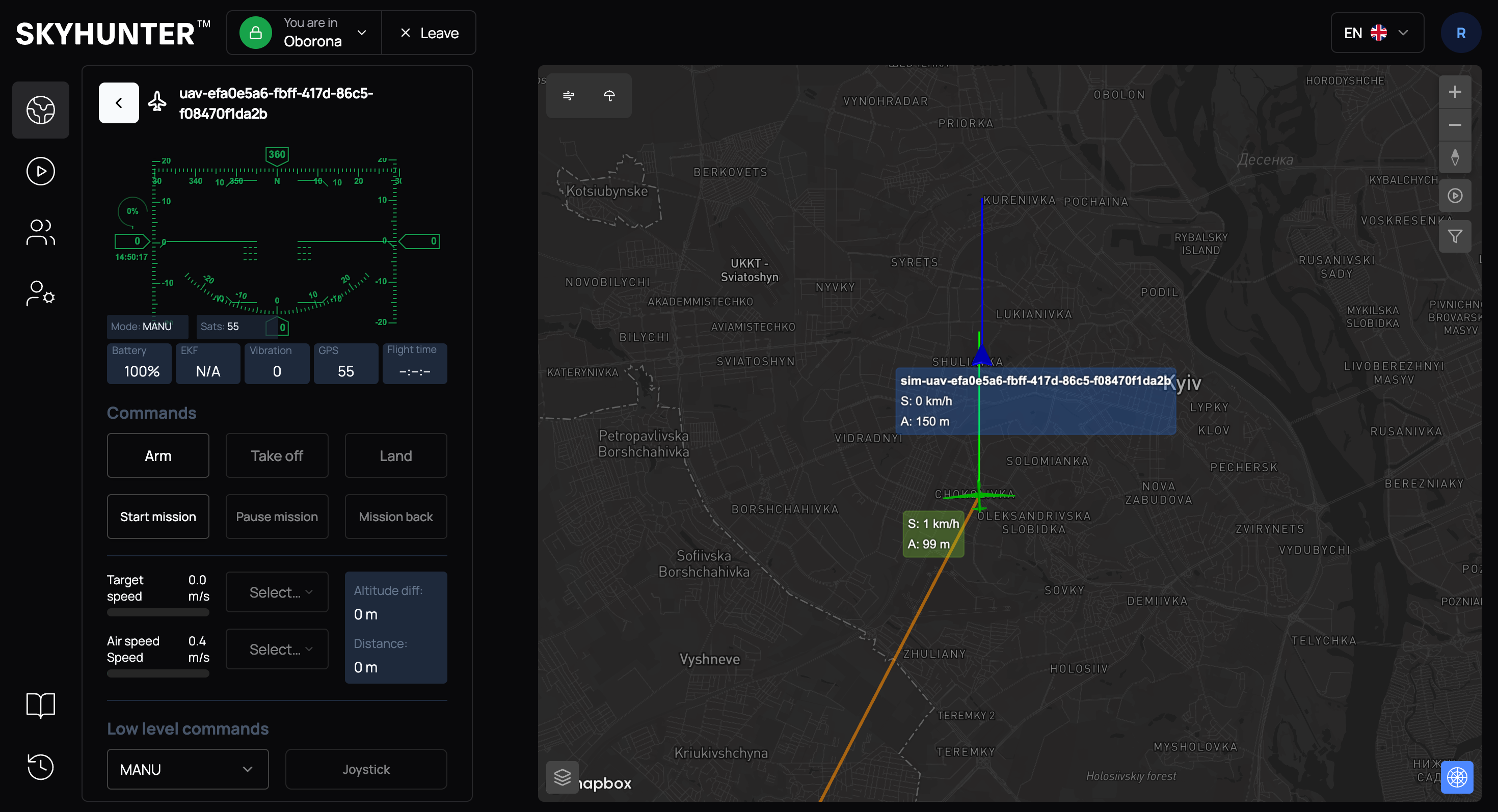
After confirmation, the UAV will be placed at the specified point on the map.
UAV Position Correction
The main drawback of an inertial navigation system is error accumulation (drift). Over time, small sensor inaccuracies accumulate, and the real drone position begins to differ from the calculated one. Therefore, in modern UAVs, INS usually operates together with other systems for periodic position correction.
Possible correction sources:
- radar data;
- visual map-based positioning.
Adjusting UAV Position Based on Radar Data
If we receive real UAV position data from radar and it differs from the INS data, we can correct the current position.
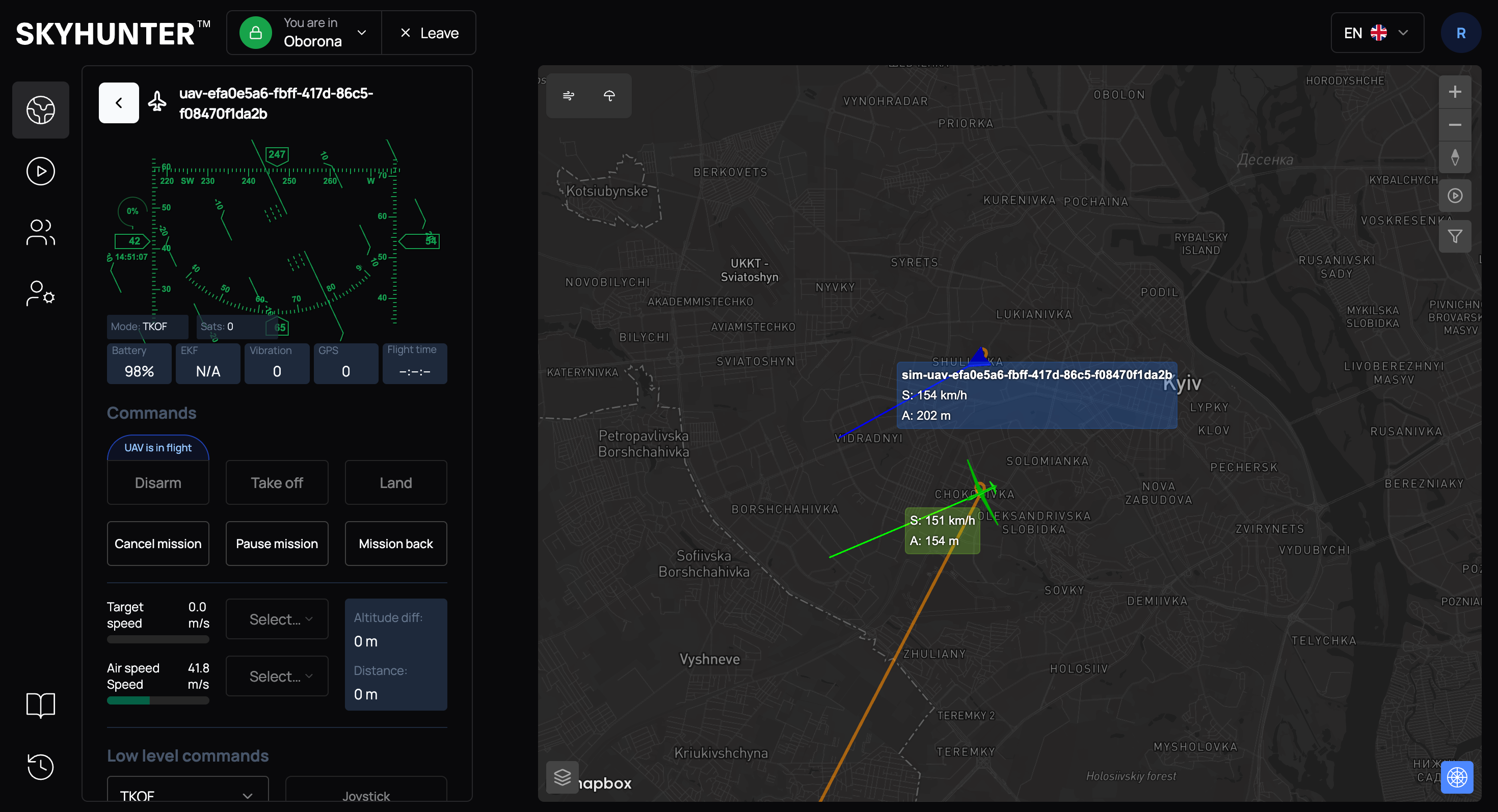
Click on the actual position (received from radar) and select "I'm here" in the context menu.
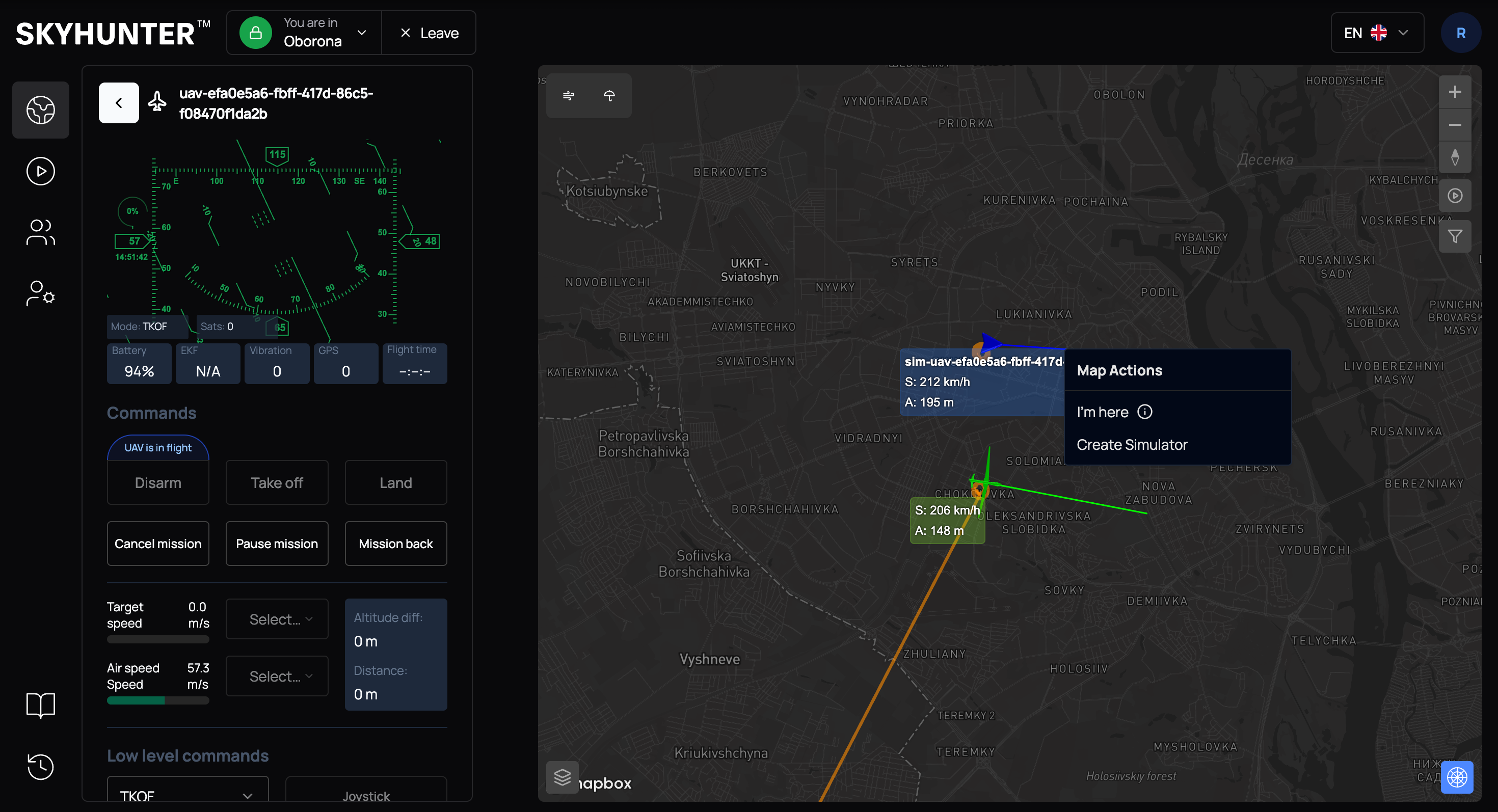
After that, the system will automatically adjust the UAV position according to the new coordinates.
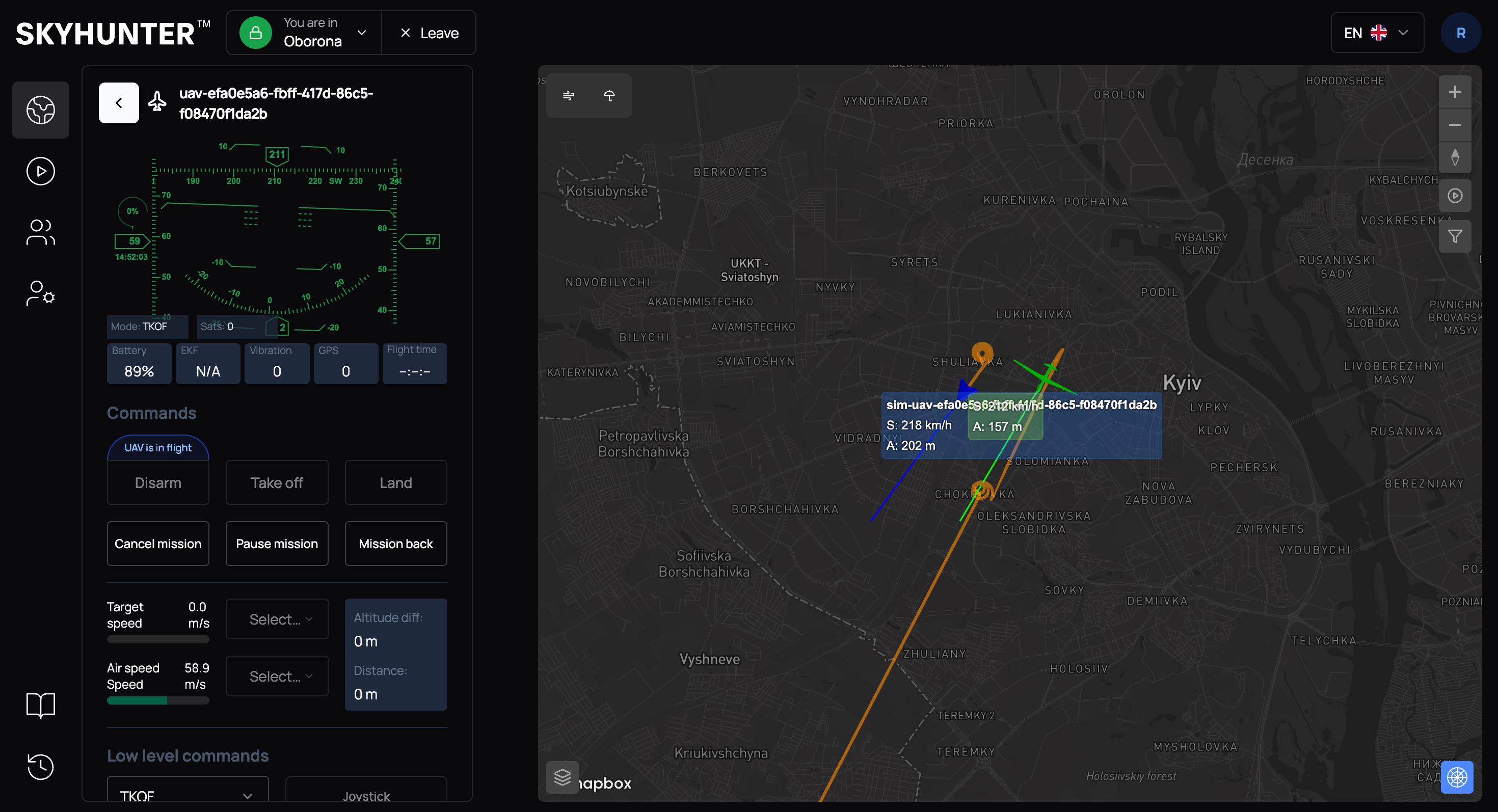
Adjusting UAV Position Using Radar Track
Binding to a radar track allows you to:
- improve positioning accuracy;
- compensate for inertial system drift.
To bind a UAV (marked in green) to a radar track, click on the blue aircraft (our position according to radar data) and click the small aircraft icon located between the green and blue aircraft.
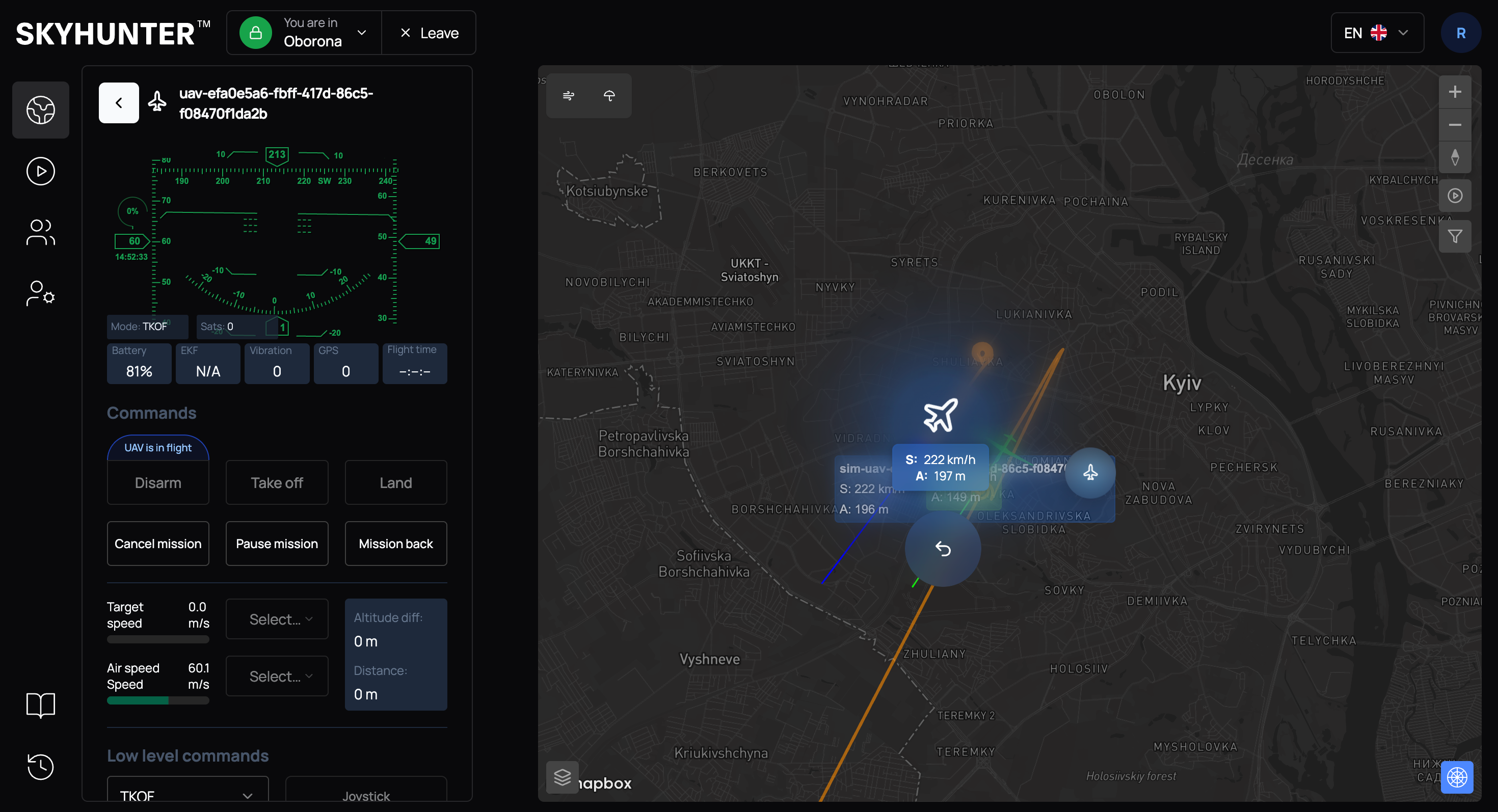
If everything is successful and the track is bound to the UAV, you will see the message "Target bind to UAV successfully", and the UAV icon will change.
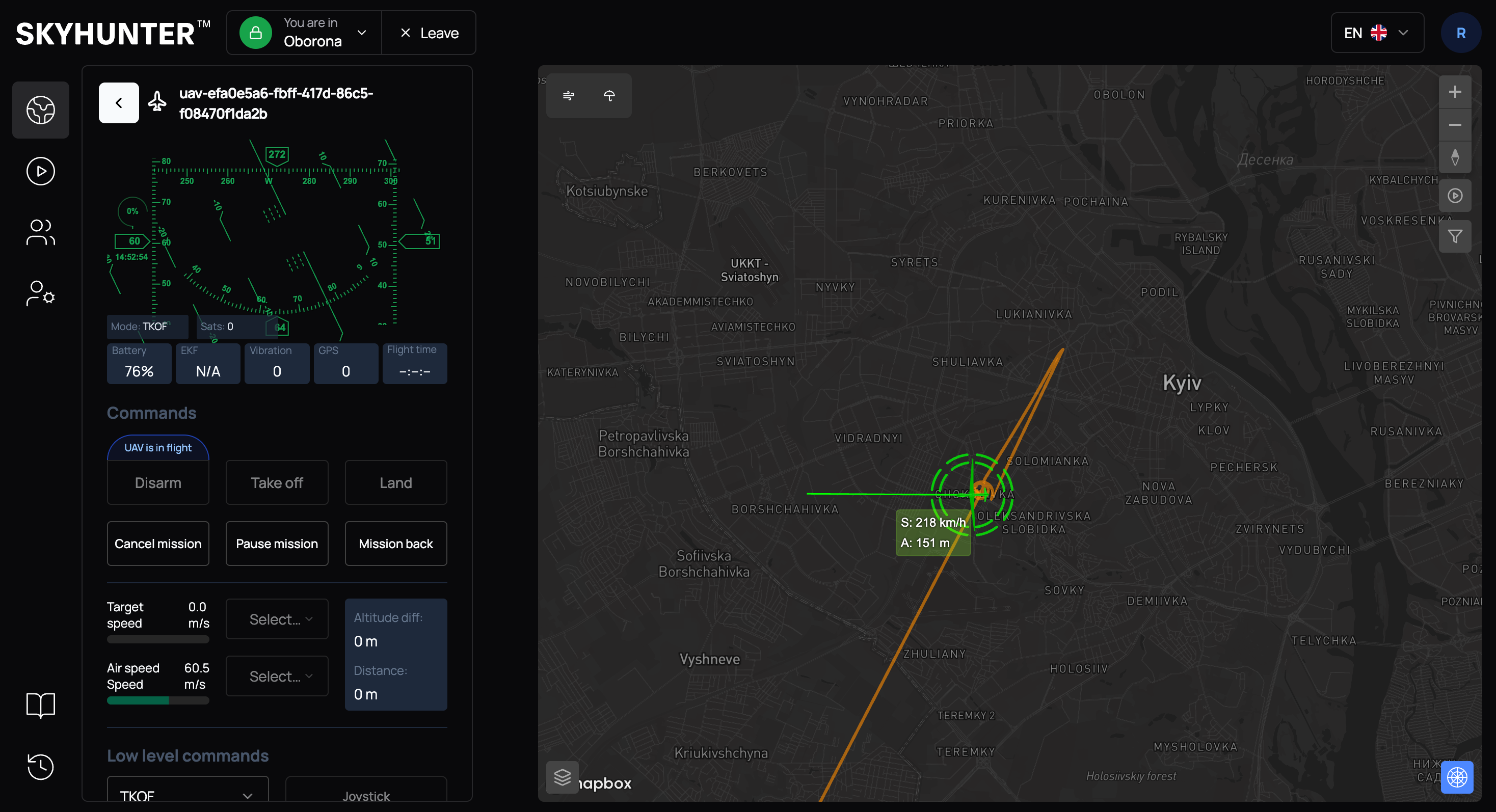
After that, the radar track position is used as the more accurate one.
IMPORTANT
The inertial system is not recalibrated, as frequent interference with INS operation may lead to system instability in the future.
If the aircraft is currently performing a mission and flying toward a target, it will not immediately change its position according to the radar track: we calculate the error and take it into account until the target is reached.
Note that for automatic coordinate refinement based on the bound radar track, the navigation mode Radar must be selected.